The Mac Screen Recorder Built for Content Creators
Turn your screen into scroll-stopping content. Mac Screen Recorder gives your tutorials, demos, and social clips a polished, edited look automatically — so you can publish faster without ever opening a heavy video editor. No watermark, no time limits, no subscription.
Built for the way content creators actually work
Editing eats your whole day
You spend more time cutting, zooming, and adding callouts than actually creating. Auto Zoom and click effects bake that polish in while you record, so most clips are publish-ready the moment you stop.
Watermarks kill your brand
Free recorders slap a logo on your work or cap you at a few minutes. Every recording here is clean, full-length, and 100% yours — perfect for a channel you want people to take seriously.
Every platform wants a different format
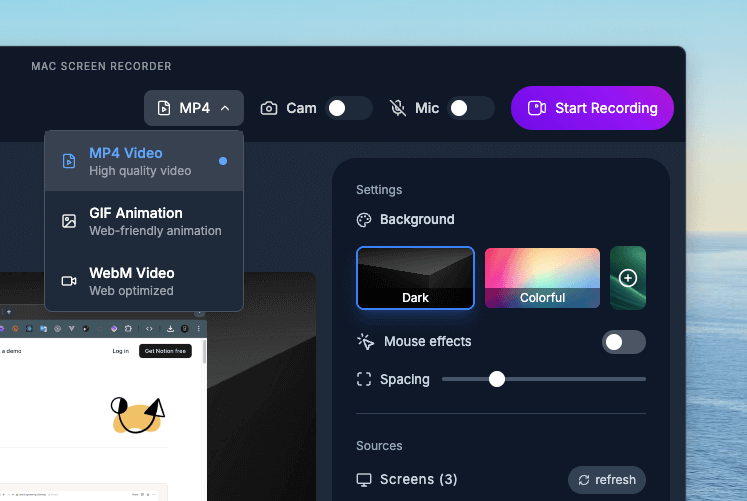
YouTube wants crisp MP4, your audience on X wants a quick GIF, your site wants lightweight WebM. Export to all three from the same recording in a couple of clicks.
What you can create
YouTube tutorials & explainers
Record your screen and webcam together, let Auto Zoom follow the action, and export crisp MP4 ready to upload. Your viewers focus on exactly what matters — no manual keyframing required.
Social clips & GIFs that pop
Capture a quick feature reveal and export it straight to GIF for X, LinkedIn, or your newsletter. Click animations and mouse trails keep tiny mobile viewers engaged without a single edit.
Course lessons & paid content
Build entire lesson libraries with consistent, professional visuals. Custom cursors and a clean, minimal recording UI keep your courses looking branded and distraction-free.
Why content creators choose Mac Screen Recorder
Auto Zoom = instant polish
The editor-grade zoom-and-follow look, generated as you record. No timeline, no keyframes.
GIF export for socials
Turn any clip into a lightweight GIF for posts, threads, and emails in seconds.
Zero watermarks
Your content stays 100% yours — nothing stamped on top, ever.
Custom cursors & effects
Branded, high-visibility cursors and click highlights that read clearly even on mobile.
Loved by content creators

"Love the quick GIF exports. Ideal for showing off features on my socials without needing to edit anything."

"Mac Screen Recorder must be the best recorder I have ever used, I use it daily for my content and explainers, love it!"
Content Creators — FAQ
Is there a watermark on my recordings?
No. Every recording is completely free of watermarks or logos, on every export format. Your content looks 100% your own.
Can I export recordings as GIFs for social media?
Yes. Alongside MP4 and WebM, you can export any recording as a GIF — ideal for X, LinkedIn, newsletters, and quick feature reveals.
Are there time limits on how long I can record?
No time limits. Record a 30-second clip or a full hour-long course lesson — it works the same either way.
Do I need a video editor to make it look professional?
No. Auto Zoom, smart cursor follow, and click effects give recordings an edited look automatically, so most clips are publish-ready straight out of the app.